
Electronic signature
For most everyday agreements, acknowledgements and internal approvals.
Included

Digital signatures and governed document workflows for South African organisations
MufK brings document preparation, approvals, electronic and advanced signatures, and a tamper-evident audit trail into one workspace. Each person sees only the work their role allows.
Signing is one step in a longer chain of preparation, approval, verification and record keeping. MufK shows every person what needs their attention next, ranked by risk.
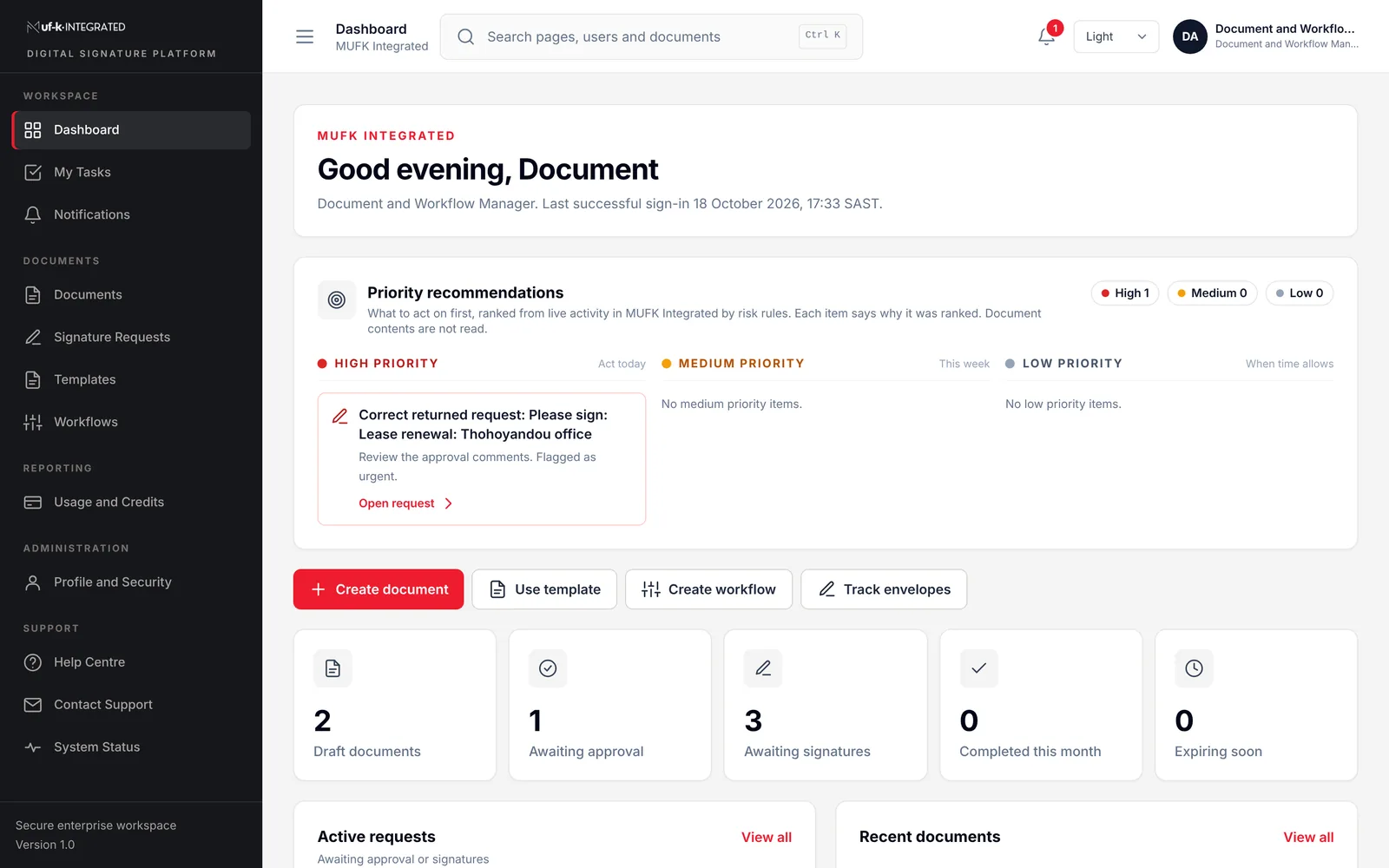
The same four stages for a supplier contract, an employment offer or a board resolution. Every stage has an owner, a status and an evidence trail.
Upload the document or start from an approved template. Each file's real content type is checked, not only its name, before it is stored.
Route it through the approval workflow for that document type. Approvers can approve, return with comments or reject.
Recipients sign in order, at the level the document requires. Signers without a ready signing profile are stopped before they start.
The signed document, approval history and provider references are kept together and can be archived to SharePoint.
Ten roles, each with its own dashboard, tasks and permissions. Navigation hides what a role cannot use, and the server checks every request again. A person with several roles gets one combined view.
Platform Super Administrator
Organisations, subscriptions, providers and platform security
Platform Support Administrator
Customer cases, failed jobs and webhook recovery
Organisation Administrator
Users, roles, departments, settings and usage
Security and Compliance Administrator
Enrolment review, signing profiles and policy
Document and Workflow Manager
Documents, templates, workflows and requests
Approver
Approves, returns or rejects before signing
Internal Signer
Signs or declines in the agreed order
Enrolment Agent
Assisted identity checks and evidence capture
Auditor
Read-only audit trail and evidence review
Management Viewer
Totals and trends, without document contents
Set a default level for the organisation and a level per template. MufK checks each signer's profile before a request is sent.
MufK coordinates the workflow and records the evidence. It does not issue digital certificates. Seek legal advice where a law prescribes a particular form of signature.
Read the plain-language guideFor most everyday agreements, acknowledgements and internal approvals.
Included
A certificate-backed signature that PDF readers can validate, for documents leaving the organisation.
Per signer profile
Where South African law or policy needs the highest assurance. Certificates come from an accredited provider after identity enrolment.
Through TrustFactory
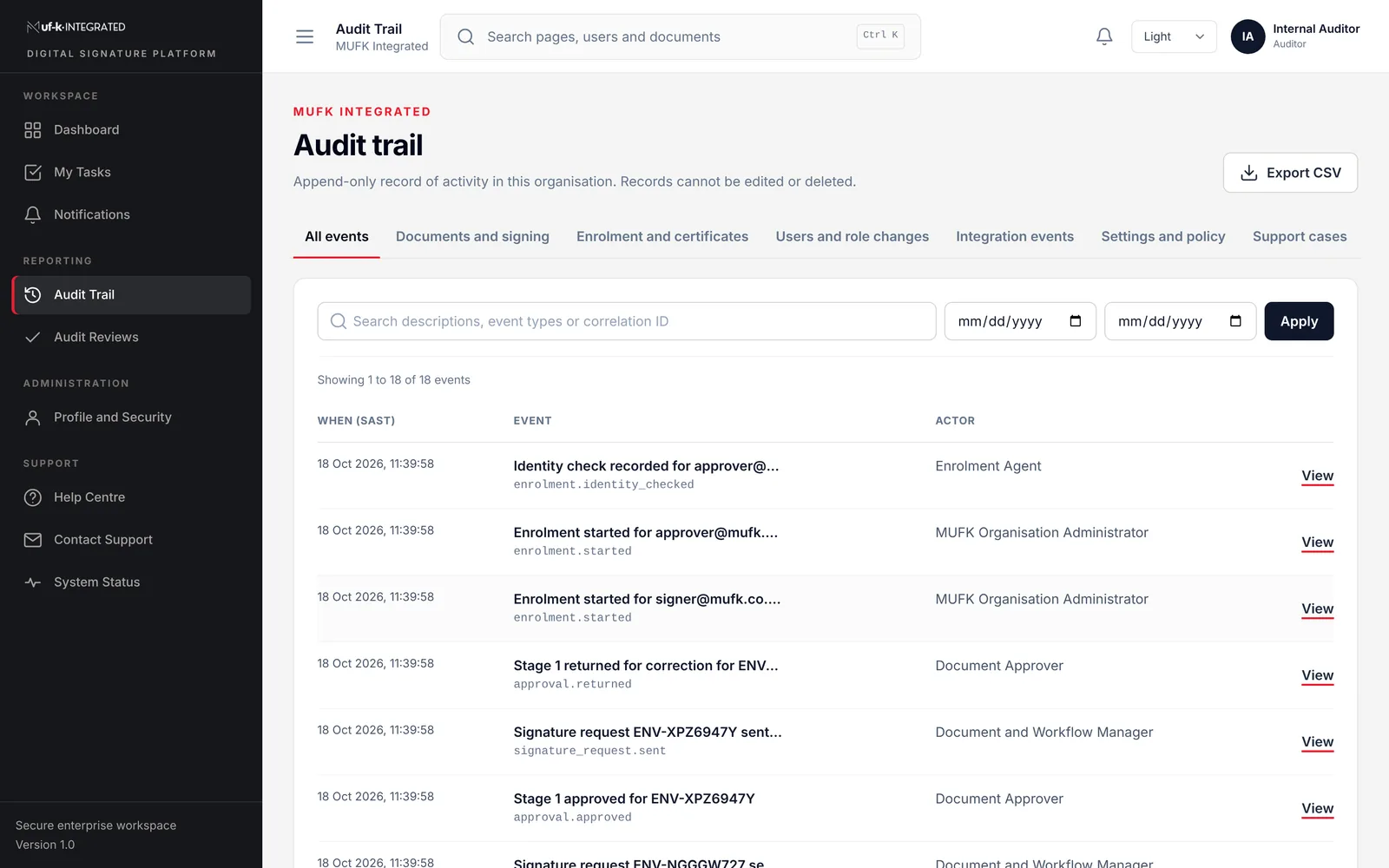
Separation of duties
Whoever processed an enrolment cannot approve it.
Re-authentication
Role changes, AES assignment, cancellations and exports ask for the password again.
Multi-factor sign-in
Required for platform staff and, by policy, for privileged organisation roles.
Tamper-evident audit
Each event is chained to the one before it and cannot be edited.
Secrets kept secret
Provider keys are encrypted at rest and never shown back.
No silent access
MufK staff need an audited, time-limited support session to see customer data.
MufK stays the place where people work. Specialist providers handle signing, trust services and archiving behind it.
Archive completed records to your own SharePoint site and folder.
Sends envelopes, tracks recipient actions and returns signed files.
South African AES certificates for enrolled signers.
Verified provider callbacks with retries and full event history.
We start with your documents, not with a feature list, so the configuration matches how your organisation actually signs.
Plan your implementationFor each document type we agree who prepares, approves and signs it, the signature level, the retention period and where the record is archived.
Departments, roles, approval workflows, templates and the SharePoint destination are set up for your organisation.
Signers who need an AES complete assisted identity enrolment. Everyone else receives a standard electronic profile.
One department runs real documents first. We review the audit trail together before the wider rollout.
Something else on your evaluation checklist? Ask our team
Yes, in most cases. The Electronic Communications and Transactions Act, 2002 recognises electronic signatures. Where a law requires a signature but does not specify the type, an Advanced Electronic Signature is required, and a few documents still cannot be signed electronically. We help you classify your documents, but please confirm specific cases with your legal advisers.
No. Advanced Electronic Signature certificates are issued by an accredited provider such as TrustFactory after identity enrolment. MufK runs the enrolment workflow, records the certificate reference and checks that a signer is ready before a request is sent.
Not by default. Platform administrators manage organisations and services, not your content. Access to customer data needs an audited, time-limited support session.
Accounts are created by invitation or by your administrator; there is no public sign-up. Each user holds one or more roles per organisation, privileged roles can be required to use multi-factor authentication, and sensitive actions ask for the password again.
Inside your organisation's data boundary in MufK, and optionally archived to your own Microsoft SharePoint site. Retention periods and hosting arrangements are agreed and documented for each implementation.
By user licences and monthly envelope volume, with AES signer licences where you need them. Request a demo and we will prepare an estimate from your actual document volumes.
Tell us how documents move through your organisation today. We will show you how MufK would handle them, using your own document types.
Pretoria, South Africa
Office 0005, Jardown 1377 Johannes Ramokhoase StPretoria, 0002Telephone
(+27) 12 004 2004Business hours
Monday to Friday, 08:00 to 17:00 SAST, excluding public holidays.