
MufK Integrated Digital Signature Platform

Protect access. Preserve evidence. Stay in control.

The right access for each responsibility

Nobody signs up on their own. Every account is created by invitation or by an administrator, and every permission comes from a role in a specific organisation.

No public registration

Accounts exist only by invitation or when an administrator adds a person. People set their own passwords; administrators never see them.

Roles per organisation

Ten roles with defined permissions. Navigation hides what a role cannot use, and the server checks every request again.

Organisation boundaries

Each organisation's records are filtered on every query and every request, so one customer can never open another customer's data.

Multi-factor authentication

Required for MufK platform staff. Organisations can require it for their administrators and compliance team.

Re-authentication

Role changes, AES assignment, cancellations, integration changes and exports ask for the password again.

Account protection

Repeated failed sign-ins lock the account, suspended users are signed out at once, and every sign-in is recorded.

An audit trail that cannot be quietly changed

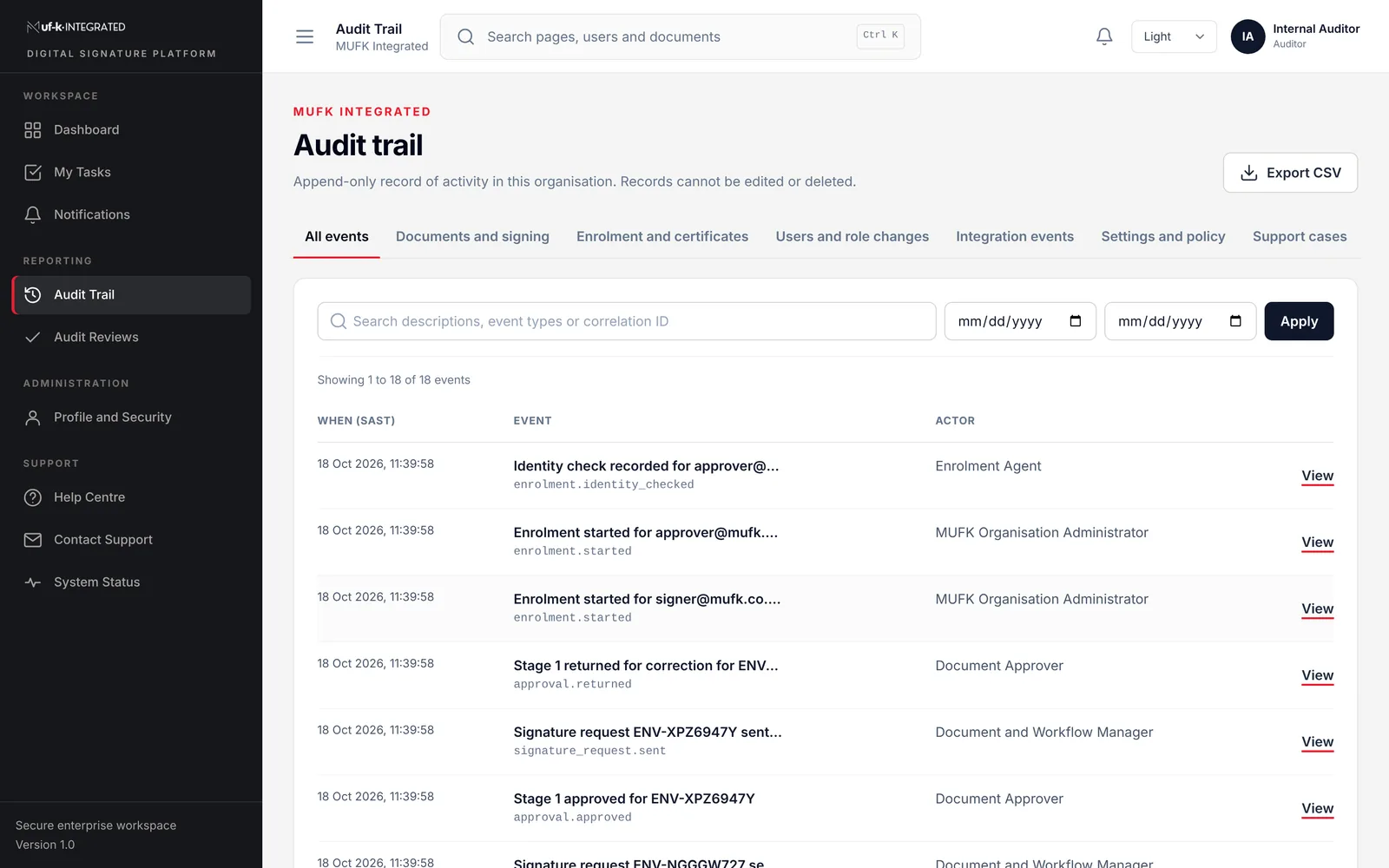
Every important action is written once and chained to the event before it, so a gap or an edit would show. Auditors get read-only access, timestamps to the second, and exports that are logged.
  • Append-only events with a hash chain
  • Secret values removed from audit records
  • Auditor reviews that cannot be edited afterwards
  • Spreadsheet formulas neutralised in every export
The MufK audit trail filtered by category, showing events with timestamps to the second.

Controls across the whole transaction

Data protection

  • Encrypted connections in transit
  • Private document storage
  • Provider credentials encrypted at rest and never displayed
  • Identity numbers reduced to the last four characters, encrypted

Application security

  • Strict Content Security Policy on every page
  • Input validation and rate limits on sensitive actions
  • Verified provider webhooks
  • Uploads checked by real content type, not file name

Separation of duties

  • An enrolment cannot be approved by the person who processed it
  • Organisation administrators cannot see identity evidence
  • MufK staff need an audited, time-limited support session to see customer data

Operations

  • Queue and job monitoring with recorded retries
  • Provider health checks before any service is shown as connected
  • Simulated test providers switched off in production

Privacy (POPIA)

  • Information collected for a stated purpose
  • Consent asked for on every public form
  • Access requests handled under our PAIA Manual
  • Retention periods agreed per implementation

Signature integrity

  • Signing profiles checked before a request is sent
  • AES certificates issued by an accredited provider, not by MufK
  • Certificate references recorded, private keys never held

For your procurement and risk teams

Tell us what your evaluation needs. We will confirm what we can provide and when, rather than send a generic pack.

Request security information

Commonly requested

  • Security overview and architecture description
  • POPIA operator terms and data processing agreement
  • Data flow between MufK and connected providers
  • Hosting, backup and recovery arrangements
  • Support model and service levels

Accreditation is stated accurately. Where TrustFactory or another specialist provider supplies an accredited trust service, that accreditation belongs to the provider's service. MufK does not display ISO, SOC, government or trust-provider badges unless a certification explicitly covers MufK and can be evidenced.

Questions from your security team?

Send us your questionnaire or arrange a technical session with the people who built the platform.

Pretoria, South Africa

Office 0005, Jardown 1377 Johannes Ramokhoase StPretoria, 0002

Telephone

(+27) 12 004 2004

Business hours

Monday to Friday, 08:00 to 17:00 SAST, excluding public holidays.